
Run your live show from any device
A1R turns Ableton Live into a rock-solid setlist & section navigator. Jump sections, loop, mix, and read lyrics & chords — from your phone, tablet or laptop. One-time payment. Runs offline forever.
Everything you need on stage
Built for musicians running tracks in Ableton Live — reliable, fast, and controlled from the device already in your hand.
Section Navigator
See every song & section as a grid. Tap to jump — instant, on the next bar, or at the end of the section.
Native Loop
Loop any section N times or forever using Ableton's own loop brace — sample-accurate, and visible in your Arrangement.
Live Mixer
Control track volumes, mutes and see real-time VU meters — right from the web UI on any device.
Lyrics & Chords
Time-aligned lyrics and chords that follow your song — perfect for a monitor or a music stand tablet.
Phone & Tablet
Open A1R on any device on your Wi-Fi. No app needed — just a browser. Control from the stage.
Instant Start
The A1R server runs standalone — the interface opens instantly, even before Ableton finishes loading.

Built for the moment the lights go up
A1R keeps you in command of every section, loop, and cue — so you can focus on the performance while your rig follows your every move.
- Control your entire set from the stage
- Tight, sample-accurate sync with Ableton Live
- Reliable offline performance, every show
See A1R in action
The real interface you run on stage — open it in any browser on your phone, tablet or laptop. No app to install.
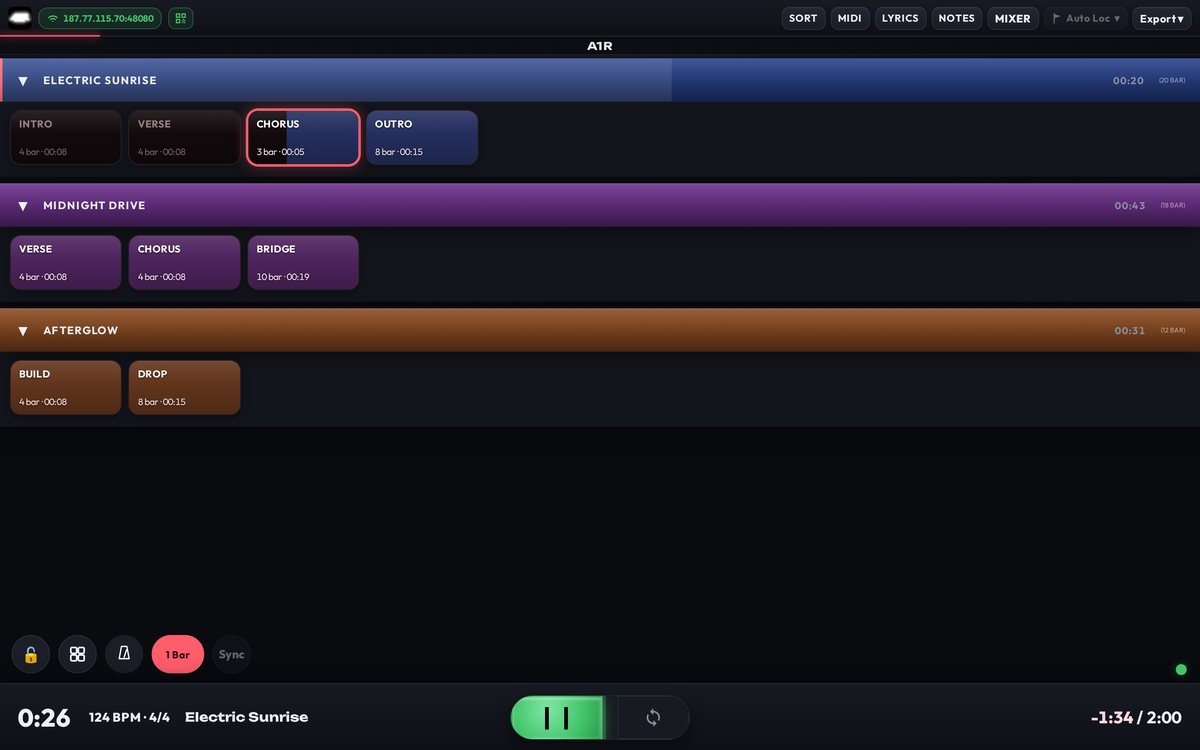
Every song & section, one tap away
Your whole set laid out as a colour-coded grid. Tap any section to jump — instantly, on the next bar, or at the end of the current section.
- Sample-accurate jumps
- Skip, loop & transition markers
- Live progress on the section you're playing
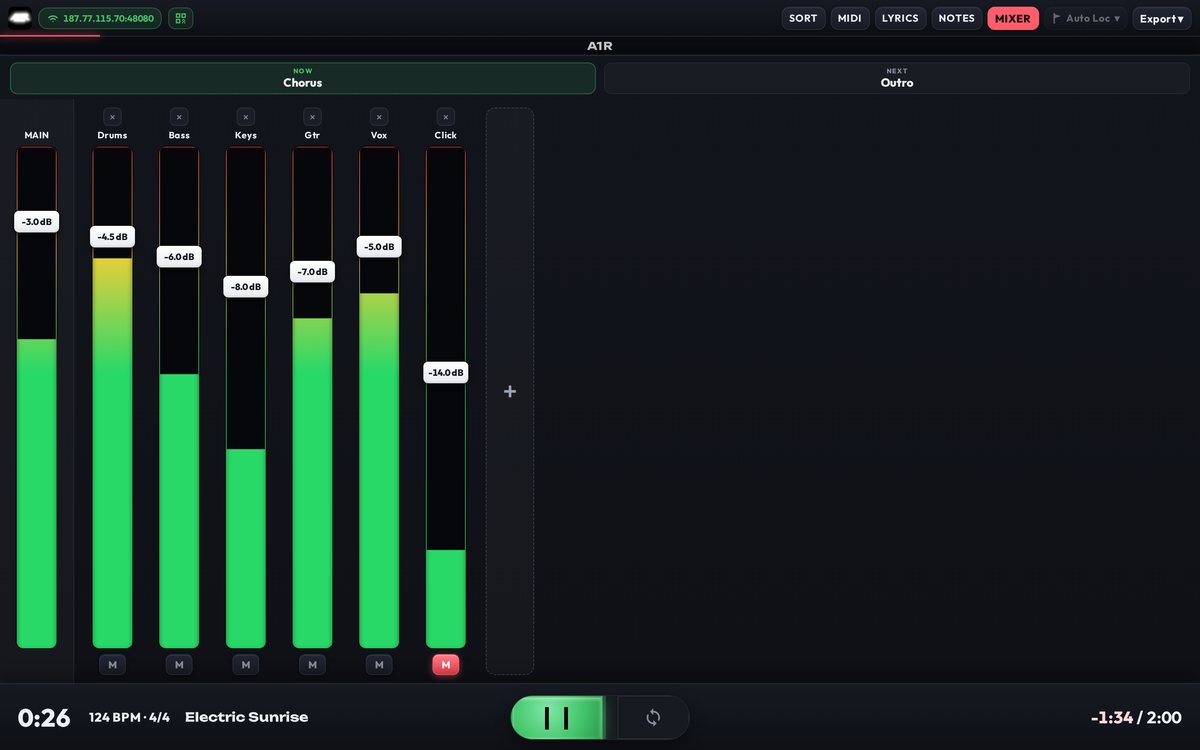
Mix your rig from the stage
Faders, mutes and real-time VU meters for every track — controlled from the same device in your hand, with the current and next section always in view.
- Per-track volume & mute
- Real-time metering
- Now / Next section header
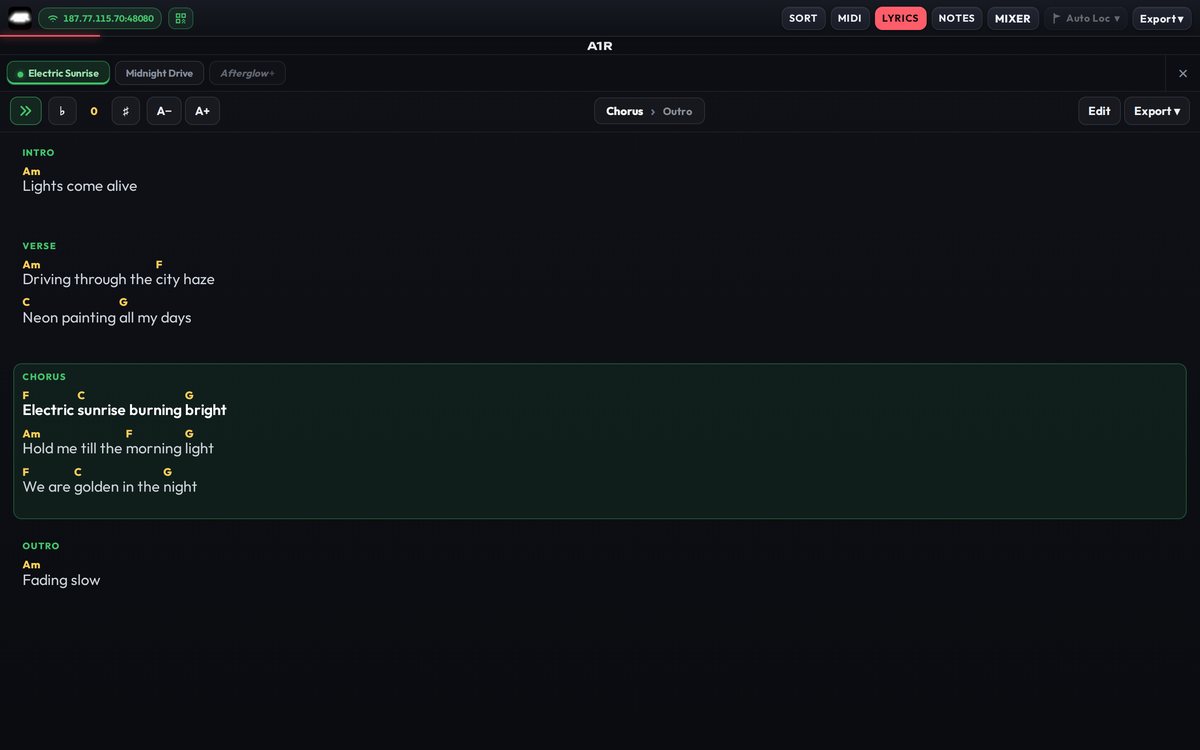
Lyrics & chords that follow the song
Time-aligned lyrics with inline chords, highlighting the section and line you're on. Transpose on the fly — perfect for a monitor or a music-stand tablet.
- Auto-scroll to the active line
- One-tap transpose
- Per-song tabs
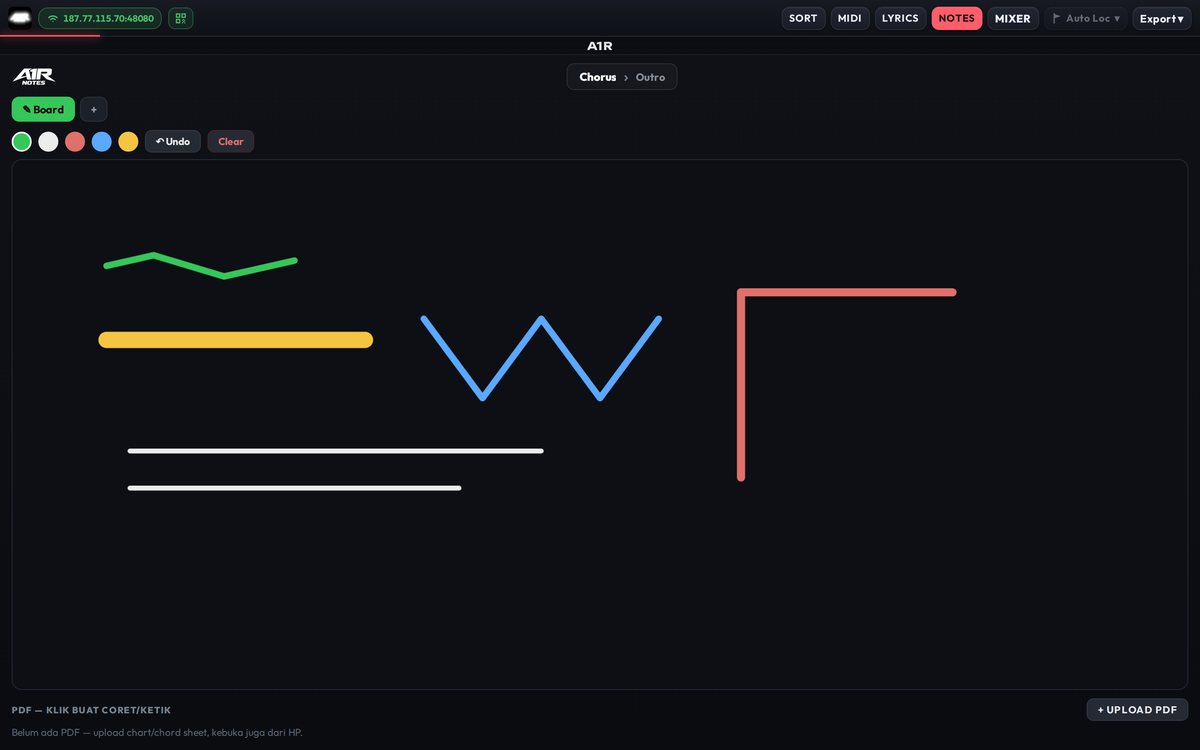
Your cues, written where you need them
A full-page notes board with pen & highlighter in any colour, undo and import — for cue sheets, arrangement reminders and set changes, right beside your setlist.
- Freehand pen & highlighter
- Per-project, synced across devices
- Import PDFs & images
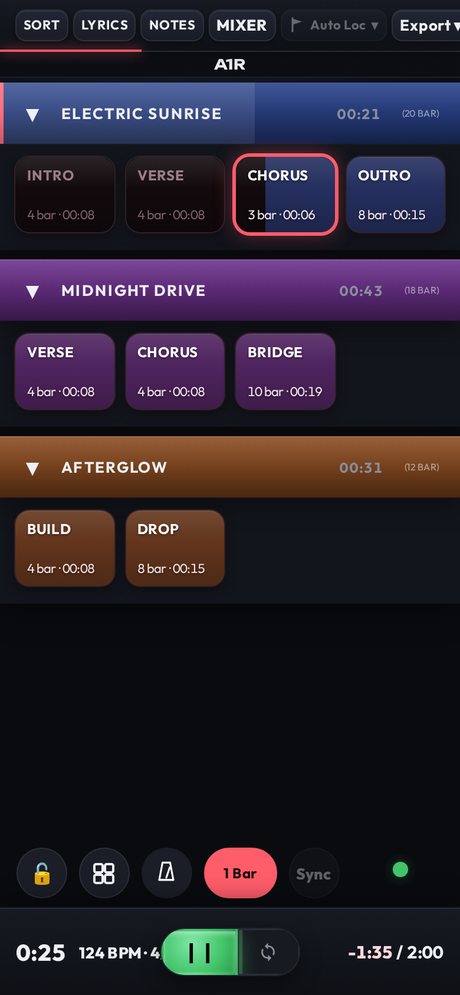
Run the show from your phone
A1R serves its interface over your Wi-Fi, so any phone, tablet or laptop becomes a remote for your set — no app, no cables, no account. Just open the browser.
- Phone, tablet & laptop
- Nothing to install
- Reorder your set live
Simple, one-time pricing
Pay once, own it forever. Every tier runs offline after a single online activation. Prices in USD.
Launch discount for first-time buyers — valid until Aug 31, 2026.
Core
- Setlist grid
- Section view
- Localhost control
Lite
- Everything in Core
- Sort setlist
- Auto Locator *
* Auto Locator requires Ableton Live 12 and later.
Preview Buy Lite
Pro
- Everything in Lite
- Live Mixer
- OSC Control
- Grid ↔ List toggle

Max
- Everything in Pro
- Lyrics & Chords
- Export PDF / PNG

 (multi-PC)
- Time Code · soon

Ultra
- Everything in Max
- A1R CUE
- Custom Styles
- Edit Section
- Duplicate Song
Frequently asked
What do I need to run A1R?
Ableton Live 11 or newer on Windows or macOS. A1R installs as a Control Surface plus a small standalone server. You control it from any browser — on the same PC, or a phone/tablet on the same Wi-Fi.
Is it a subscription?
No. A1R is a one-time payment. You own your tier forever, including offline use.
Do I need internet to use it live?
Only once, to activate your license. After that A1R runs completely offline — safe for gigs with no Wi-Fi.
Can I move it to another computer?
Yes. Each tier includes multiple PC activations, and you can deactivate a device to free a slot when you switch machines. Need more PCs or longer update access? Buy an add-on (+1 PC slot / update extension) any time from your account page.
How do I control it from my phone?
Max tier and above: connect your phone to the same Wi-Fi as your Ableton PC and open the A1R address in any browser. No app to install.
How does payment work?
Checkout is secure. After payment you get a license key by email — enter it once in A1R to activate.
Feedback & requests
Found a bug, or want a feature? Tell us — we read every message.
Ready for your next show?
Get A1R Core with a one-time purchase — no license key, install & play. Upgrade tiers any time.